

The DJI Pocket 2 is an extremely small and versatile camera mounted on a 3-axis mechanical gimbal. The result? Silky-smooth, perfectly stabilized 4K videos, straight from your pocket. It has quickly become a favorite among vloggers, travelers, and anyone who wants professional video quality without hauling around heavy equipment.
A Hollywood Rig in the Palm of Your Hand
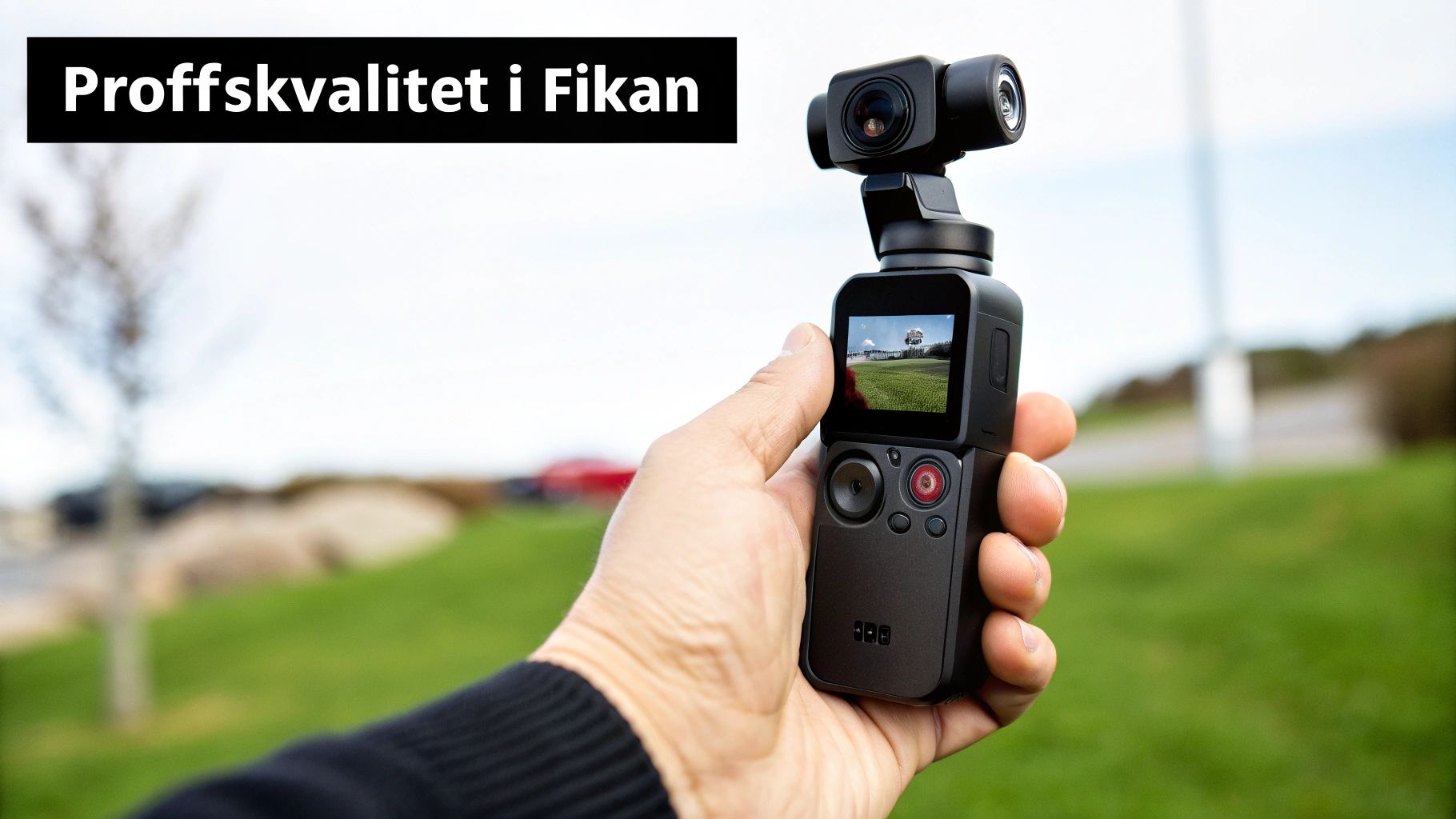
Imagine a professional camera rig from a film set, with all its stabilizers and advanced motors. Now, imagine all that technology shrunk down to the size of a candy bar. That is essentially the DJI Pocket 2 – a smart combination of a powerful camera and an advanced 3-axis gimbal.
Your phone often uses digital stabilization, which can produce shaky and unprofessional-looking clips. The Pocket 2 works differently. It uses physical motors to smooth out every movement you make, providing that smooth, cinematic feel that previously required expensive and bulky gear.
Why It Became Essential
For content creators, the DJI Pocket 2 solved a fundamental problem: how to easily capture high-quality video. Whether you are documenting a hike in the mountains, filming a busy day in the city, or creating content for social media, it delivers results that truly stand out.
Think of the gimbal as a steady hand holding the camera perfectly still, even while you are walking, running, or cycling. It neutralizes your movements in real-time, creating a perfect flow in your video.
This little gadget has become an indispensable tool for creators who value both quality and convenience. It fills a genuine need for anyone wanting to take their videos to the next level without losing spontaneity.
Much More Than Just Stabilization
But it's not just the incredible stabilization that has made this camera so popular. It is a complete solution for the modern creator, packed with smart features:
- ActiveTrack 3.0: Allows the camera to automatically follow a subject. It’s almost like having your own personal cameraman with you.
- High-Quality Audio: With the DJI Matrix Stereo system, it captures rich sound from all directions, truly bringing your videos to life.
- Impressive Image Quality: The sensor handles 64MP photos and films in 4K, so every detail is captured with stunning clarity.
The DJI Pocket 2 is not just a camera – it is a complete, pocket-sized production studio.
The Tech That Transforms Your Videos
Behind the impressive results of the DJI Pocket 2 lies a wealth of smart technology designed to be invisible. Instead of struggling with complicated settings, the camera works quietly in the background to give you professional results. Let’s take a closer look at the key features and what they actually mean for your films.
The core of the magic is the 3-axis mechanical gimbal. Imagine trying to balance a full glass of water on your hand while walking. Your whole arm works to compensate for every movement so you don't spill. The gimbal does exactly the same thing, but with tiny, lightning-fast motors that instantly counteract every shake and vibration.
This allows the camera to essentially float in the air, whether you are walking, running, or cycling. The result is that silky-smooth, cinematic feel that was previously only possible with expensive Hollywood equipment.
Comparison Between DJI Pocket 2 and a Typical Smartphone Camera
To truly understand what makes the Pocket 2 special, we can compare it side-by-side with a standard mobile camera.
| Feature | DJI Pocket 2 | Typical Smartphone Camera |
|---|---|---|
| Stabilization | 3-axis mechanical gimbal | Electronic Image Stabilization (EIS) |
| Subject Tracking | ActiveTrack 3.0 (mechanical) | Often software-based, less precise |
| Audio Recording | 4 microphones (Matrix Stereo) | 1-2 microphones, usually mono |
| Photo Resolution | Up to 64MP | Typically 12-48MP |
| Compactness | Pocket size, all-in-one unit | Often requires extra grips or gimbals |
The table clearly shows that while phones have become incredibly good, the Pocket 2 offers specialized stabilization and audio technology that a phone simply cannot match.
Your Personal Cameraman
Another game-changing feature is ActiveTrack 3.0. Imagine having your own cameraman whose only job is to keep you, or whatever you want to film, perfectly in the frame at all times. You simply select an object on the screen, and the gimbal locks onto it, following every movement with incredible precision.
- For the Vlogger: Place the camera on a tripod, turn on ActiveTrack, and move freely around the room. The camera follows you automatically.
- For Family Home Movies: Let the camera track your child running on the beach. You get a perfectly centered clip without any effort.
This is a feature that truly changes how you can film yourself or others when there is a lot of movement involved.
DJI Pocket 2 isn't just about a stable image; it's about making advanced filmmaking technology so simple that anyone can use it. From stabilization to intelligent subject tracking – the technology works for you so you can focus on your creative vision.
Audio and Video in Perfect Harmony
Great video naturally needs great sound. The DJI Matrix Stereo system uses four strategically placed microphones to capture sound from all directions. This creates a rich and lifelike soundscape that matches the high video quality. Furthermore, the audio adapts intelligently to where you point the camera and how much you zoom, ensuring that what you film is always heard clearly.
The image quality is just as impressive. With a sensor capable of 64MP photos and HDR video, you get incredible detail and a wide color range. This means you can capture everything from the fine nuances of a sunset to the details in a dark room. This specific blend of gimbal, high-resolution sensor, and smart features has made the DJI Pocket 2 a favorite for both video and photo. This model is one of the most versatile in its class, which you can read more about in our guide to the DJI Osmo series.
From Box to First Film – Get Started in No Time
Unboxing your new DJI Pocket 2 is an exciting feeling, and the best part is that you can get started right away. No complicated manuals or long installations – DJI has made the process incredibly smooth. In just a few minutes, you'll be ready to film.
The very first thing you need to do is wake the camera up. You do this easily by connecting it to your smartphone and opening the DJI Mimo app. The app guides you through a quick activation that unlocks all features and ensures you have the latest software. It’s a one-time process, then you’re good to go.
Learn the Controls in Seconds
Once activated, it's time to start filming. The interface is designed for speed, and you can handle most things directly on the camera with a few simple button presses.
- Power On and Switch Modes: One press on the function button toggles between video and photo. Holding it down turns the camera on or off. Easy as pie.
- Center the Camera: Did you move a bit too fast? Double-click the same button and the gimbal centers itself again. Perfect for quickly resetting the shot.
- Switch to Selfie Mode: Three quick clicks rotate the camera 180 degrees toward you. Now you’re ready for a vlog update without messing with settings.
This infographic shows exactly how the DJI Pocket 2 manages to combine its smart gimbal, sharp lens, and high-quality microphones into one package.
It is the interplay between these three components that is the secret behind the professional results you get straight from your pocket.
A Pro Tip for Perfection
To ensure your films are always perfectly level, it's a good idea to calibrate the gimbal every now and then. This is an automated process you start in the DJI Mimo app and takes less than a minute. A good habit is to do this when you change environments, like moving from indoors to outdoors, to give the camera the best possible conditions.
Plug your DJI Pocket 2 directly into your phone! This gives you a large, clear preview where you see exactly what you are filming. You get full control over composition, focus, and lighting – making it much easier to nail that perfect shot.
By using the phone screen, you not only get a better overview, but you also unlock more advanced features like Pro mode. If you also want to take your audio to the next level, an external microphone is worth its weight in gold. Feel free to read our guide on how to choose the right wireless lavalier microphone to really impress. With these simple steps, you are now more than ready to start creating.
Capturing the Best Moments
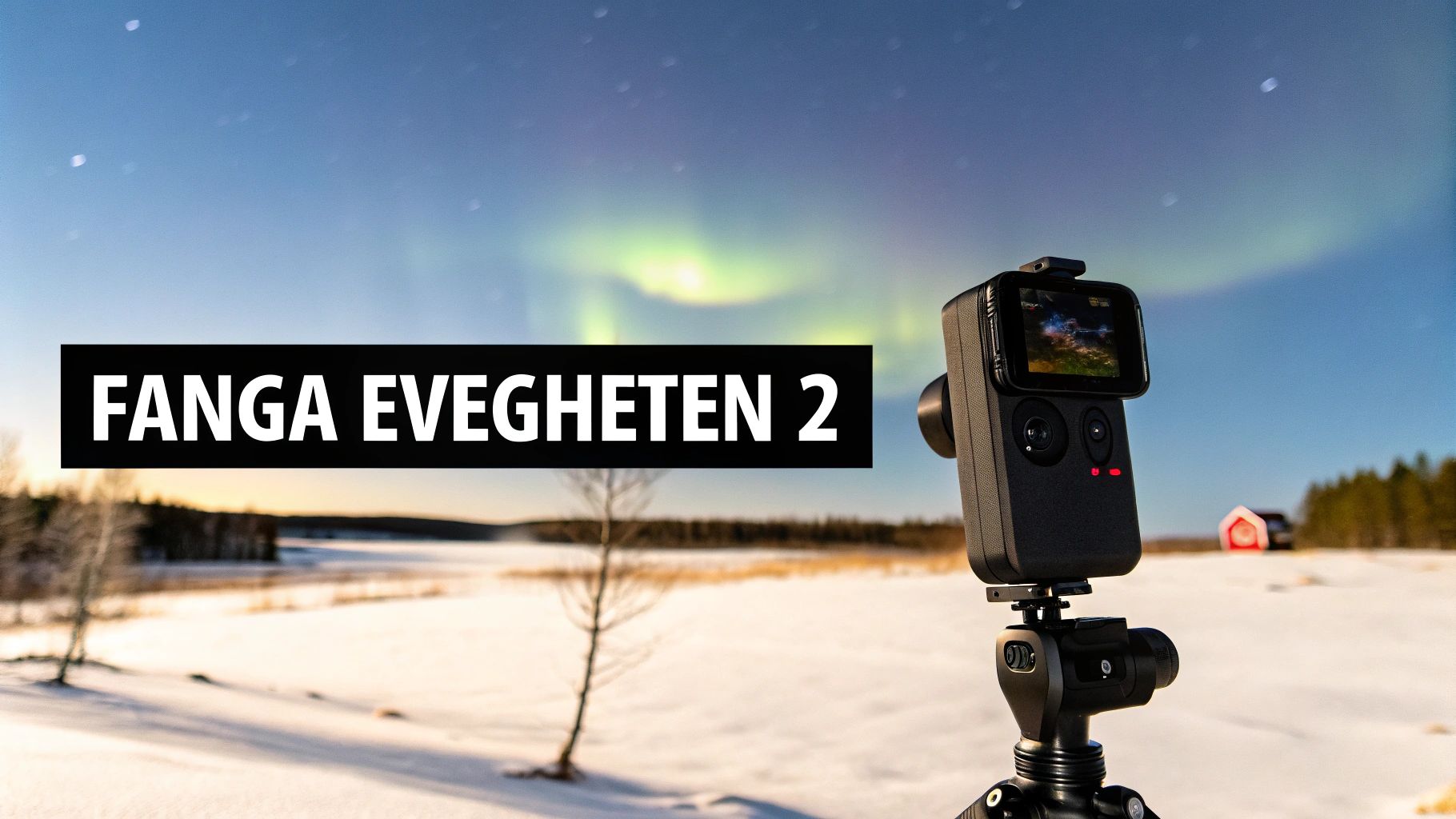
Now it's time to turn all that smart technology in the DJI Pocket 2 into practical magic. This little camera is built to capture unique environments and lighting conditions with a cinematic feel that was previously almost impossible to achieve without expensive gear.
Imagine a bike ride along a scenic trail. Instead of a jumpy and shaky phone video, you can turn on ActiveTrack 3.0 and let the camera stay focused on you or a friend. The result is a smooth, fluid shot where the camera acts as your personal photographer – while you focus on enjoying the ride.
Or why not document a lively outdoor celebration? With the DJI Matrix Stereo system, you don't just capture the music and laughter; you capture the entire surrounding soundscape. You get a vivid audio memory that truly takes you back to the moment.
Mastering the Light
Light can be as beautiful as it is challenging. Endless summer nights and short, dark winter days place high demands on any camera. This is where the DJI Pocket 2 really shines, especially when you venture into Pro mode.
By taking control of the settings, you can adapt the camera for any situation.
- Bright Summer Nights: Manually lower the exposure to avoid blown-out skies and instead preserve the soft, beautiful colors of twilight.
- Dark Winter Days: Carefully increase the ISO value to capture more light, and adjust the white balance so that snow appears clean and white rather than dull and blueish.
- Filming Northern Lights: Use the timelapse mode with a long exposure. Place the camera on a tripod, set an interval of a few seconds, and let it work its magic. You’ll capture the movement of the aurora in a way standard video never could.
Pro mode is your best friend for handling unique lighting conditions. It gives you creative control to manually adjust white balance, ISO, and exposure to match your vision, regardless of the time of day or year.
Practical Tips for Adventures
To get the most out of your camera in various conditions, it’s smart to think about your gear. If you want to mount the camera on handlebars or a helmet, you’ll need a mount. If you also want to see what you are filming on a larger screen, a phone holder for Osmo Pocket is an indispensable accessory.
Don't forget about battery life either. In cold weather, batteries can lose power significantly faster. Bring a power bank to charge the camera on the go, so you don't miss any important moments during winter excursions.
By combining the camera's smart features with a little planning, you can create incredible memories from all your adventures.
Upgrade Your Creativity with the Right Accessories
The DJI Pocket 2 is an incredibly sharp tool right out of the box. But with the right accessories, it transforms from a great camera into a complete creative toolbox. Think of accessories like different lenses for a DSLR – each piece opens new doors and lets you tailor the camera to exactly what you want to create.
For most users, the single best upgrade is the Creator Combo package. This isn't just a random collection of items, but a carefully selected kit that solves the most common problems encountered by YouTubers, vloggers, and other creators. So, what makes it so special?
Key Components of the Creator Combo
It is the combination of a few very smart accessories that makes the big difference. Each part is designed to solve a specific problem, making the entire recording process smoother and the end result significantly more professional.
-
Wireless Microphone with Windscreen: This small transmitter is a game-changer for audio quality. Clip it to your shirt and get crystal-clear sound, even if you are standing several meters from the camera or if it's windy outside. Perfect for interviews, vlogs, and presentations.
-
Wide-Angle Lens: The standard lens is great for portraits and close-ups, but this tiny magnetic lens expands the field of view considerably. Suddenly you can capture the whole landscape, fit all your friends in a groupie, or film in tight spaces without it feeling cramped.
-
Do-It-All Handle: This handle is the brain of the system. It doesn't just give your Pocket 2 built-in Wi-Fi and Bluetooth, but also a 3.5 mm microphone input and a small speaker. It opens up the possibility of connecting external professional microphones and controlling the entire camera wirelessly from your phone.
More Smart Accessories for Specific Situations
Beyond the Creator Combo, there is a whole world of accessories that can elevate your films even further. For example, if you already have plenty of GoPro mounts and want to mount your Pocket 2 on them, an adapter for GoPro mounts is a smart and affordable solution.
Think of accessories as specialized tools. You don't need all of them, but the right tool at the right time can be the difference between a good video and a fantastic one.
Planning to film in bright sunlight, perhaps during a day on the ski slopes? Then ND filters (Neutral Density) are essential. They act like sunglasses for your camera, helping you achieve that smooth, cinematic motion blur without the image becoming overexposed.
For the more adventurous, there is a waterproof case. It protects your DJI Pocket 2 all the way down to 60 meters depth, so you can film everything from a refreshing winter swim to snorkeling in crystal-clear water. By choosing accessories that suit your specific needs, you can adapt the camera for almost any situation.
Where to Buy Your DJI Pocket 2 – and Finding the Best Price
Okay, you've decided. The DJI Pocket 2 is the camera for you. Now only one last, but very important, question remains: where should you buy it to get the best possible deal? Fortunately for consumers, competition is fierce.
You can find the camera at most major electronics retailers, but don't forget to check out more specialized photo shops. They can often offer deeper knowledge and better support. The difference is rarely just in the price tag, but also in things like warranty terms, return policies, and how quickly you actually get help if something goes wrong.
Use Price Comparison Tools – but Be Smart About It
The absolute fastest way to find a good deal is to use a price comparison site. There you get a lightning-fast overview of prices from a variety of retailers and can easily see when it’s time to hit the buy button.
Comparing prices is essential, but don't just focus blindly on the lowest number. Also check the store's reputation and what others say about their support. Sometimes it can be worth paying a little extra for the security of a well-known dealer.
To make a smart choice, consider the following:
- Standard vs. Creator Combo: Compare the price of both packages. Sometimes the price difference is so small that the Creator Combo becomes the obvious choice given everything extra you get.
- Warranties and Support: Is a decent warranty included? Does the store have its own support that you can actually call or email?
- Stock Status and Delivery Time: Do you need the camera for this weekend's adventure? Then delivery time can be the deciding factor for which store you choose.
Frequently Asked Questions About DJI Pocket 2
When considering a new gadget like the DJI Pocket 2, specific questions almost always arise. Here we have gathered answers to the most common queries to give you those final puzzle pieces, whether you are close to a purchase or have just unboxed your new camera.
We've kept the answers short, clear, and to the point, so you can quickly find what you're looking for.
How long is the battery life?
One of the most important questions for anyone filming in the field: how long does the battery last? The DJI Pocket 2 gives you up to 140 minutes of recording time on a single charge under ideal conditions.
This is usually more than enough for shorter projects, day trips, or a vlogging session. But remember that things like cold weather can drain the battery. For longer shooting days, especially during a chilly autumn day, it's smart to pack a power bank so you can recharge the camera as needed.
Is it waterproof?
No, the DJI Pocket 2 is not waterproof out of the box. The sensitive electronics and the gimbal are not built to withstand water.
But if you want to film underwater, there's a solution! You'll need to get the official waterproof case. With it on, you can safely take your Pocket 2 down to 60 meters depth. This opens up a whole new world for capturing everything from summer snorkeling to cool diving adventures.
Can I use an external microphone?
Yes, absolutely! Good audio is just as important as a good picture, and DJI has made it easy to connect external microphones for that professional sound quality.
- Creator Combo: If you buy the Creator Combo package, the "Do-It-All Handle" is included, which has a built-in 3.5 mm audio input. Super simple!
- Adapter: If you have the standard package, you can purchase a handy little USB-C to 3.5 mm adapter.
This gives you the freedom to connect everything from a wireless lavalier for interviews to a high-quality shotgun microphone that's perfect for windy conditions.
Being able to connect an external microphone is one of the details that truly elevates the DJI Pocket 2 from a simple holiday camera to a serious tool for creators.
Does it work without a smartphone?
Yes, one of the great strengths of the Pocket 2 is that it works entirely on its own. You can start it, change modes, and begin filming immediately using the small built-in screen and the buttons on the handle.
However, to truly get the most out of the camera, we recommend connecting it to your phone with the DJI Mimo app. This gives you a much larger screen to work with, access to all advanced settings in Pro mode, and powerful editing tools right in the app.
Are you ready to take your filmmaking to the next level? Explore our huge range of accessories for DJI and other action cameras at ActionKing. We have everything you need to maximize your creativity, from mounts and filters to microphones and protection. Find your perfect accessories at https://actionking.se.


